Introduction
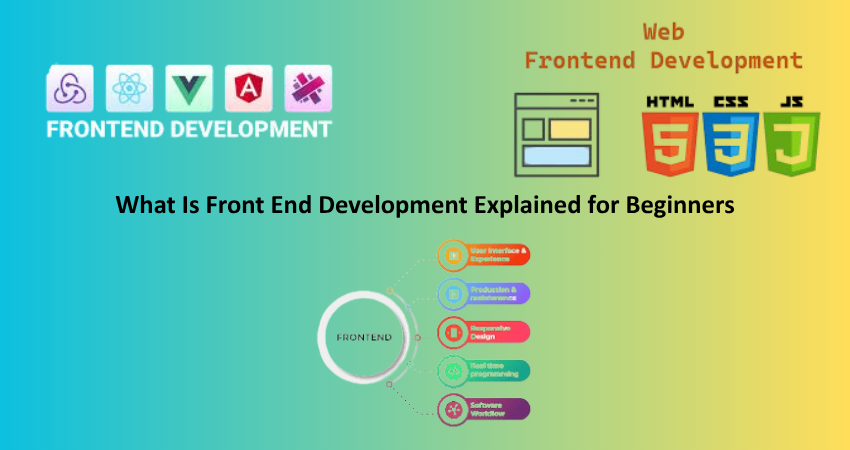
Front-end development is an essential skill set that allows users direct access into the visible and interactive aspects of a website or web application. It involves everything from navigation to layouts, colors, fonts, buttons, and forms. To summarize, a front-end developer’s work is to define how a website is going to look and feel inside the browser on the client’s end. Here, back-end handles away from the eyes of users all data and logic, whereas the front end is the storefront of the application—what users see and can actually touch and work with.
To create, maintain a website, work as a web developer, or even as a digital designer, beginners in that field need to get an understanding of front-end development. It involves creativity and technicality, and therefore a sound knowledge of HTML-the structure of web content-CSS-for layout and design-and JavaScript-for positioning and reactive behavior-is a must. And from there, the learning needs to continue. In creating responsive and accessible websites, front-end developers would do well to learn various frameworks, performance optimization, accessibility guidelines, and browser compatibility. This book will take you through everything basic to front-end development, from the fundamental tools onward to as diverse as advanced techniques, thus rendering itself a complete beginner’s guide.
Understanding the Basics of Front-End Development
What Does a Front-End Developer Do?
The front-end developer is mainly concerned with the aspect that interacts with a user through a website, which basically assures that every interface has a good look and feel, is accessible, and works in all browsers and devices. It encompasses HTML for the layout of content structures, CSS for the treatment of visual presentation, and JavaScript for functionality. The whole spectrum of developing the navigation bar to the responsive layout to programming shopping cart capabilities is primarily ensuring seamless accessibility to the website for all users.
Such professionals make sure to collaborate with designers, back-end developers, and relevant stakeholders to realize the design vision through the analysis of the design files and their transformation into operational and functional web pages. Backend developers shall be using version control tools, like that of Git, to make better organization and teamwork of their code. From their end, they would have to ensure that everything appears and operates correctly on different devices, including desktops, tablets, and smartphones. All the work responsibilities and traits of a front-end developer are crowned through this event, styled by the changing nature and cross-contours of aesthetics, functionality, and user experience.
Core Technologies: HTML, CSS, and JavaScript
The base upon which exists each page is HTML- Hypertext Markup Language. It structures a webpage through headings and paragraphs, images, and links. Browsers would have no clue what to do with your content should HTML altogether vanish. HTML is used to organize every bit of writing, image, video, or button that you see on a website.
Then comes CSS or Cascading Style Sheets, which decides on how the HTML content should be styled and form as to color, font, gap, and layout rules. It also empowers a site to be responsive such that it may look good on any size of screen. Elements could be kept in complicated layout arrangements without clunky hacks with Flexbox and CSS Grid.
JavaScript will animate the webpage. It makes possible user interaction like clicking a button to display a modal or submitting form data without replacing the entire page. JavaScript will also allow developers to fetch data asynchronously, update the DOM and manage animations. HTML, CSS, and JavaScript are the primary expertise for any aspiring front-end developer across the board. These are the main bases for the building blocks of any creation you will ever assemble.
Tools and Workflow in Front-End Development
Code Editors, Browsers, and Developer Tools
Front-end programmers usually make use of a very particular type of code editor to write and maintain their codes. There are now popular options such as Sublime Text, Atom, Powerful Visual Studio Code (VS Code). Some of the benefits of these editors including syntax highlighting, extensions, and integrated terminals help make coding easy and straightforward. The current trend shows that most developers prefer to use Vs Code because it is speedy, modifiable, and with lots of extensions- for linting, debugging, version control, etc.
But the web browsers also remain as tools for testing the front-end code since the code itself will run inside a browser. Thus, it is necessary to check the application in different browsers such as Chrome, Firefox, Safari, or Edge to ensure compatibility. The developer tools provided by the browsers allow inspecting of elements, debugging the scripts, viewing the traffic and checking the performance all in real-time. Chrome DevTools is one of those standard sets that let you play up CSS live, debug JavaScript, and optimize load times.
Thriving in a smooth-flowing process would include installing packages or starting a development server simply through a terminal command; using version control to track changes such as Git for version history; and developing everything locally before going to the live site to deploy the code. These will be the tools and the workflows today that make up the technical ecosystem through which front-end developers work daily to build better, more efficient user experiences.
Front-End Frameworks and Libraries
However, front-end programmers are always tight in deadlines developing with so many frameworks and libraries for quick development and maintainability. Basically, one can infer that the framework provides some kind of structure to web UI development, whereas libraries are a collection of reusable blocks of functionality. For instance, Bootstrap is a widely known CSS framework, providing prewritten styles for UI elements such as buttons, modals, grids, etc. It enables developers to create responsive designs quickly without having to write styles for each and every element separately.
On the JavaScript side, jQuery made a reign for itself as it was easy to manipulate the DOM and do AJAX calls. But with the new age, the developers today mostly depend upon solid libraries and frameworks such as React, Vue.js, and Angular. Therefore, React, a front-end JavaScript library for user interface development maintained by Facebook, is far more used in modern times for a component-decoupled view design. Vue.js is said to be less challenging and for beginners. Angular by Google is targeted for bigger applications.
Working with these frameworks demands a considerable knowledge of applications at different levels of architecture, understanding the flow and state control of the app, and sometimes it goes beyond into the territory of build tools such as Webpack, Babel, and Vite that bundle assets and transpile modern JavaScript for the browser. While a very good knowledge of these tools will help to significantly boost the productivity and efficiency of the front-end developer.
Responsive Design and Accessibility
Designing for Multiple Devices
Responsive design caters to all screen sizes and to all devices on which a website is viewed. It is no more a choice with rising use of smartphones and tablets. A responsive site is a part of the user experience, providing the same content and functionality whether accessed from a 4-inch phone or a 27-inch desktop.
Responsive design means changing your CSS from normal to different styles based-on media. The same effect could be achieved by defining media queries based-on screen properties such as width or height, device resolution, or orientation. A site is launched and developed using mobile-first design principles from the ground up. These are throughout a site and facilitate the production of flexible layouts that reflow according to screen size, using Flexbox and CSS Grid. Responsive images and fluid typography also help usability and performance across all devices.
Importance of test testing. Developers can test how the whole site appears as seen from any of the different devices using browser tools or services like BrowserStack or even responsive design mode. Making sure everything in the UI is touch-sensitive: buttons are big enough to tap and text is readable across all screens make all the difference in frontend-provided professional-and-user-focused experience.
Web Accessibility Basics
Design and develop websites for everybody; assist users even though they possess disabilities with no other intervention. Users might operate by screen readers, keyboard navigation, and any other technical aides. Such conditions of accessibility are down by some standards like WCAG: Web Content Accessibility Guidelines; inclusive.
Key principles concern correct HTML structure, the proper semantic tags like <nav>, <main>, <footer>; of course, the description of image alternative text; sufficient contrast colors. The keyboard access to all functions is obvious. For instance, implementing ARIA (Accessible Rich Internet Applications) attributes can further enrich the screen reader experience since they bring more information to the elements.
Forms should indicate primarily the specific input fields, effective display and caution messages, and ways of entering inputs. Buttons and links need to be unequivocally defined and described. The Developer must also test using tools like Lighthouse, Axe, or any other screen reader for accessibility performance assessments. Making your site available is not only good practice but a reputable value for SEO potential, audience expansion, and compliance itself within most legal standards.
Getting Started as a Front-End Developer
Learning Resources and Pathways
The internet surely offers lots of info for the beginner, but you can once again refer to some of the best resources for front-end development: freeCodeCamp, Codecademy, Coursera, and Udemy-interactive courses about HTML, CSS, Javascript, and more frameworks. There is also a big wide world of YouTube tutorials, project walk-throughs, and professional advice besides those. Useful in providing further foundation are “Eloquent JavaScript” and “HTML & CSS: Design and Build Websites”.
The usual structured program begins with an intro into HTML and CSS and quickly ramps up to a basic JavaScript. When the student graduates, they are expected to delve into topics such as DOM manipulation, responsive design, and some interactivity. Simple projects like to-do apps, portfolios, and basic calculators should be sufficient on which to push these skills into practice to build up confidence. The higher the level of the front-end skills, the greater the confidence and competence to begin taking on bigger projects using React or Vue.js.
Developer communities like Stack Overflow, r/webdev on Reddit, and even Discord servers can provide heaps of support and feedback, not to mention juicy job leads. Coding challenges on Frontend Mentor and CodePen have been historically known to help in gobuilding a portfolio and gaining some real-life experience. It can take someone from zero beginner status, work hard and study consistently, to a full-fledged pro front-end developer.
Building a Portfolio and Finding Work
A strong portfolio supports the application front-end development skills and career opportunities. Portfolio should contain your personal website with resumes, contact details, and sample project links. All projects must be working, good-looking, and display the understanding of layout, style, and interactivity. The more real-world examples you can show, such as an e-commerce site, a blog, or some really cool web apps, the better the impression this will leave on an employer.
Open-source projects and freelancing are other places to gain experience. GitHub is a great way to showcase code, document projects, and contribute to others’ work. Freelance sites such as Upwork or Fiverr can be a good springboard for early client work, whereas job boards such as Indeed, LinkedIn, or We Work Remotely are good sources for full-time positions. Building a personal brand through blogging, LinkedIn posts, and being active in the community can also get you through the door in the industry.
Being consistent and having a curious mind are the two aspects to keep you going. The front-end ecosystem is very dynamic; therefore, keeping up with the trends, new frameworks, and best practices should be part of your priority. It would help to subscribe to newsletters on front-end development, attend virtual meetups as well as assisting continuous learning through real-life challenges. With the support of the grounding, practical projects, and improvement throughout, beginners can build a successful career in front-end development.
Conclusion
Front-end development is a fascinating and rapidly developing field that includes technology and creativity in all its elements. It is what grounds those websites and web applications almost all the time by people. It starts with the basic learning of HTML, CSS, and JavaScript for beginners. Yet, successful front-end developers are not merely computer programmers. They become masterful at using tools, embrace best practices, create responsive and accessible interfaces, and engage in a pursuit of knowledge to keep up with this fast-paced domain.
So, whether you would like to build beautiful websites, begin to freelance, or gain employment with a tech company, front-end development provides you with a fulfilling and meaningful career. With this very foundation, consistent practice, and good portfolio development, you are ready to embark on your journey to the fascinating world of front-end development.