
Introduction to CSS Grid Layout
CSS Grid has changed the game for front-end developers designing web layouts by introducing a two-dimensional grid system with accuracy and flexibility that traditional methods such as floats or flexbox could never achieve. It is an entirely different world from working with methods that are one-dimensional and treat rows or columns separately-the simultaneous control over both axes offered by Grid allows complex responsive design with clearer, more maintainable code. This change means that developers are free to create intricate magazine-style layouts, car grids, and even entire page architectures without having to rely on hacky CSS workarounds or mega JavaScript calculations. Simply put, the Grid system makes for an HTML container, or grid parent element, which then converts its immediate children into grid items that can be placed anywhere within the confines of its conceived arrangement.
A very special characteristic of CSS Grid lies in its ability to provide explicit and implicit layouts while keeping to an exact alignment regardless of the screen size: Explicit grids let the developer set fixed track sizes and positions, while implicit grids would automatically generate some additional tracks that are used to accommodate content that exceeds the original definition. This combination of both the explicit and implicit layout is one of the best solutions ever devised to deal with the major objection to responsive design: Maintaining the distance of gutters and margins across unpredictable content lengths. Supporting browsers and the Grid by that have been implemented successfully since the year 2017 have since then been determining modern web design, continuing with the layout methods and becoming somewhat irrelevant. Perfect mastery of Grid core cases will teach you to create a larger variety of possibilities with lots of creative merit.” Just that will make it an indispensable skill for front-end developers today.”
Understanding the Grid Container and Item Relationship
Defining the Grid Container Properties
All the works around a CSS grid layout start from creating a grid container with either display: grid or display: inline-grid applied to the parent element. This simple declaration triggers Grid behavior for all its direct children, leaving non-direct descendants unaffected. This is a crucial distinction that saves us from unintentional layout side effects. With Grid turned on, the developer then proceeds to set up other properties such as grid-template-columns and grid-template-rows to set up a structure for the grid. For instance, using grid-template-columns: 200px 1fr 3fr creates three columns: a first column (200px wide) set to a fixed size and the remaining space divided into a ratio of 1:3 between the other two columns. Another beautifully designed feature of the Grid is the fr (fraction) unit that gives us the freedom to divide the available space flexibly and responsively without media query overrides.
The gap property, which used to be referred to as grid-gap, produces a uniform distance between rows and columns whiles removing the margin-collapse problems which are associated with traditional layout. The property grid-auto-flow specifies how items that are placed automatically fill the grid. They can go by setting priority on filling the rows or columns, as well as availing of the option of using dense packing that fills holes in the layout. Perhaps most mightily, align-items and justify-items bring default alignment behavior to all grid items, while align-content and justify-content apply themselves to the entire grid as Boolean terms toward its container. These backbone properties form the core of the Grid system, bestowing upon the developer unprecedented control over layout decisions at the macro level while reducing the amount of repetitive styling for each individual element.
Positioning and Sizing Grid Items
Direct children of the defined grid container now act as grid items and can be placed precisely with line-based placement (using grid-column and grid-row) or named grid area. For grid-column, 1 / 3 would let the item span between two grid lines (track) or indicate that the item wants to span on two tracks. That system of lines allows for pixel-level control, intuitively without bothering the HTML structure—a way too much better on behalf of float-based layouts that depend on HTML source order. For a better practice, lining up grid lines could be done by developers with the help of indexed bracket notation inside the container (grid-template-columns: [sidebar]250px [content]1fr) and then referred to using these names in the items (grid-column:sidebar).
One of the item-level alignment properties in the CSS Grid Feature is the property called align-self; and justify-self would permit correlating self-defaults container by item, in order to micro-adjustment, which may occur in the macro structure. An ideal Grid’s z-index usually works in a generic sense and allows intentionally overlapping items when placed within their own grid cells: a technique meant for making designs layered without absolute positioning. However, the most special consideration that should be given regards the sizing behavior, since Grid items can be sized using the familiar units: px, em, %, as in the case of the min-content, max-content, and fit-content() which could respond interactively to content dimensions. minmax() is one of the most comprehensive functions: the minmax(150px, 25%) creates size ranges within which items assure usability in any viewport while retaining the proportions of layout.
Advanced Grid Template Techniques

Creating Flexible Layouts with Repeat and Auto-Fill
CSS Grids have handy functions that do it all for you, creating a really great automated repetitive track pattern, made responsive to the number of columns in the grid. The repeat() condenses the declarations – for example: grid-template-columns: 1fr 1fr 1fr directly into repeat(3, 1fr), with the first argument accepting, besides fixed count, also keywords such as auto-fill and auto-fit. With the minmax(), these can be adopted to create really adaptive grids, in which the number of columns is adjusted to match the space available. E.g., grid-template-columns: repeat(auto-fill, minmax(250px, 1fr)), which will create as many columns of 250px that can be fit into the container and seamlessly transition to fewer columns on small screens when no media queries are applied. This feature rolled wheelchair grids, because it does not require JavaScript responsive adjustment.
The divide between using auto-fill and auto-fit is only apparent when there are fewer items than grid tracks available. Auto-fill will retain these empty tracks, while maintaining their sizing, whereas auto-fit will collapse those empty tracks and distribute the available space between filled ones. This very minor difference results in incredibly different behaviors when the usages are responsive: auto-fill works fabulously when the items are loaded dynamically and the number of items may change very easily, while auto-fit works best with very “static” layouts to improve readability by maximizing item size. However, custom line names can be combined with such functions to provide greater flexibility for developers, e.g. repeat(auto-fit, [col] minmax(200px, 1fr)) creates named lines for every column that can be referred to during item placement.
Named Template Areas for Intuitive Layouts
Grids Template-areas property provides an easy-to-read means of defining area templates in a fashion similar to ASCII art. Developers name areas in their layout (like “header,” “sidebar,” “main,” and “footer”) and then visually place those areas in a stringlike matrix.” For example:
css
grid-template-areas:
“header header header”
“sidebar main main”
“footer footer footer”;
This communicative system allows the immediate deciphering of the layout structure by anyone reading the code, creating a relationship between design mockups and what is being built. Corresponding grid items then “claim” the space using the grid-area property (e.g., grid-area: header), thus achieving a complete separation between visual placement and HTML source order—winner for accessibility through screen reader software.
Template areas extravagant in responsive design when associated with the media queries. By redefining grid-template-areas at different breakpoints, the developer gets a chance to radically reorganize layouts without even opening HTML. An area map simply moving it left to top may cause a sidebar to change position, as grid items will automatically flow into their new positions. For complicated designs, area names can be in multiples of the same name, thus creating a spanning effect (for example, the area “ad” appearing in both the sidebar and the footer). This will be much more important for resource-heavy layouts, dashboards, etc., where visual hierarchy varies with device size.
Grid Alignment and Sizing Deep Dive
Mastering Alignment in Two Dimensions
The alignment system of CSS Grid unites the best of its flexbox counterpart with two-dimensional control. The align-items and justify-items properties define the default alignment of all grid items inside their cells (like flexbox alignment), while properties like align-self and justify-self will override the defaults on a per-item basis. Grid brings in the shorthand termed place-items (both align and justify) and place-content to align the whole grid within its container. These properties take values such as start, end, center, and stretch, with Grid offering baseline alignment for the specification of typography—useful especially in form layouts or anywhere vertical rhythm is of significance.
Certainly, it is in the align-content and justify-content properties that the real magic occurs: these arrange any extra space in the grid container when the tracks do not take the complete available area. Values like space-between, space-around, and space-evenly provide the most sophisticated allocation modes for this, while others such as center and start/end offer the simplest ways to position elements. It is a system that teaches us how to issue some commands in the most elegant manner to counter long-standing centering problems, such as place-content: center, which applies irrespective of content size. For distorted grids, the dense algorithm (set via grid-auto-flow: row dense) backfills the holes left by larger boxes, all to the benefit of image galleries or product grids, one of the lucky cases where uniformity in the sizing of items is not always guaranteed.
Intelligent Sizing with Minmax and Fit-Content
The size capabilities of the grid exceed the dimensioning of any traditional CSS with functions that are sensitive to the sizes of contents and containers. Minmax(min, max) is a function that offers flexible size ranges and prevents layout breaks. For example, grid-template-columns: minmax(200px, 300px) 1fr ensures the first column which will never shrink below this threshold of 200px or grow beyond 300px while the other column flexes with whatever space is left over. This is the best: It works for responsive designs, where rigid pixels fail and entirely fluid layouts lack necessary structure. When you combine minmax() with auto-fill, this property turns minmax() into “intelligent” grids because it created column counts depending on content size and size of viewport.
What it does is clamp item sizes between a minimum and a content-based maximum. Declaration such as grid-template-columns: fit-content(300px) 1fr will define a column that will grow with the content to 300 pixels, then allow text to wrap while the next-column occupies the remaining space. This is any problem that falls into the common category: You have navigation bars that should collapse to their content widths but not exceed a sensible maximum. Row auto sizing is different from flexbox: The Grid’s auto rows expand to fit content height, but not affect others, while minmax(auto, auto) creates tracks that will go bigger or smaller in content. It is these little things that will help a developer get the results he needs: A layout will respond correctly when content or the viewport changes.
Practical Grid Implementation Strategies
Building Responsive Layouts Without Media Queries
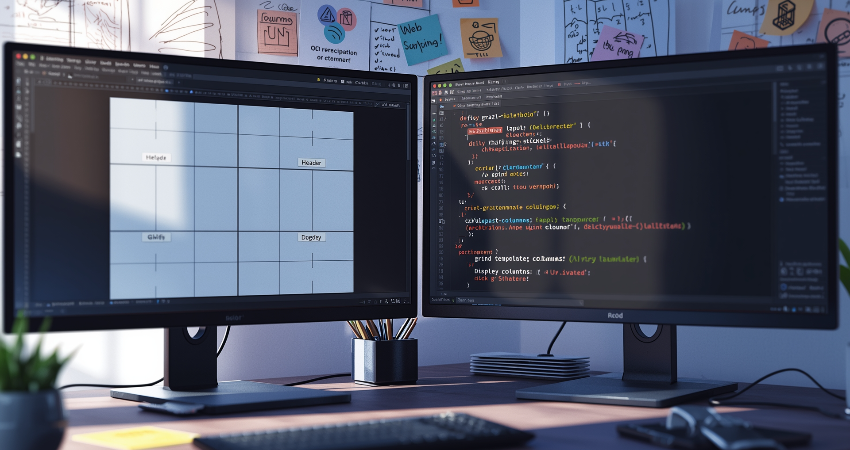
CSS Grid minimizes the requirement of responsive design that is heavily reliant on breakpoints by adding intrinsic responsiveness into its fundamental capability. The amalgamation of fractional units, minmax(), and auto-fill/auto-fit allows the layouts to fluidly change shape across screen sizes without discrete jumps into the media queries. For instance, a product grid may smoothly transition from four columns when on the desktop to one column on mobile, by simply using grid-template-columns: repeat(auto-fit, minmax(250px, 1fr)).This intrinsic approach generally results in far more elegant responsive behavior than conventional breakpointing systems, since it continuously morphs from one state to the next rather than snapping between a set of pre-defined states.
In broad device categories, they can still enhance Grid layouts with the help of strategic media queries. A standard practice is to simplify the template areas for mobile, changing a multi-column desktop layout into a single-column stack by redefining grid-template-areas. They help change the gap size for touch versus mouse interfaces or switch grid-auto-flow from row to column when the orientation changes. The idea is to use media queries in terms of major structural changes, allowing Grid to take care of micro-adjustments within each breakpoint. The hybrid philosophy produces the highest maintainable code since much of the responsiveness follows quite naturally from Grid’s fluid ways, leaving targeted overrides only where it is absolutely necessary.
Combining Grid with Other Layout Methods
It goes without saying that CSS Grid will work perfectly fine with other layout techniques, as each serves its own specific problems within its very own domain. Flexbox is excellent for a one-dimensional distribution of items inside a Grid cell, for example, the navigation bars or form controls put inside the grid altogether. The multicolumn layout, on the other hand, deals with flowing content across the columns whenever the requirement is to absolutely reflow pure text. Otherwise, Grid is in charge of that page structure. Even floats can find purpose again within Grids as it brings back those quirks of floating content for the coming wraps of text around an image in controlled circumstances.
This takes the integration a step further by allowing nested grids to inherit track definitions from their parent grids, a gradual feature gaining browser support. It finally addresses the long-standing complication of nested components needing to align at multiple levels-form fields spanning a number of columns within a card itself spanning multiple columns of the grid. Until subgrid support really does take off, developers can replicate this functionality with nested grids utilizing consistent track definitions or even resort to some careful margin calculations. Regardless of approach, the principle remains: use Grid for macro layout and other methods for micro layout within its cells, creating hierarchy layout systems that play to their strengths each time.
Conclusion: Embracing CSS Grid for Modern Layouts
With CSS Grid, front-end development is entirely changed, providing so much power and flexibility to create complex layouts that even the most technical designers would find them difficult or impossible to achieve in traditional ways. With this knowledge, the core concepts of its relations among container and item relationships to advanced template techniques and smart sizing will permit the developer to create designs that are very responsive, maintainable, and with cleaner code using fewer workarounds. Two-dimensional control within the system vastly reduces the need for nested structures and hack CSS workings, opening up creative possibilities with clear workflows. CSS Grid helps to challenge modern web design with precision and flexibility for every purpose-from complicated editorial, highly dynamic dashboards, and often changing product grids.
Even as the currents of support by browsers for advanced features continue to increase toward subgrid and masonry styling, CSS Grid will only grow to be more solidified as an essential component in the toolkit of a front-end developer. Hold true to the basic premises and then use that knowledge of grid in conjunction with other layout devices, such as flexbox for those micro-level tweaks. Adopting CSS Grid, then, will enable developers to keep skills relevant while creating applications that are much more powerful, accessible, and visually coherent. No layouts nowadays are going to be made without making them responsive and adaptive, and here is the most powerful and beautiful solution for bringing the web into the next generation of interfaces.